
Mobile safety support for professionals visiting clients alone.
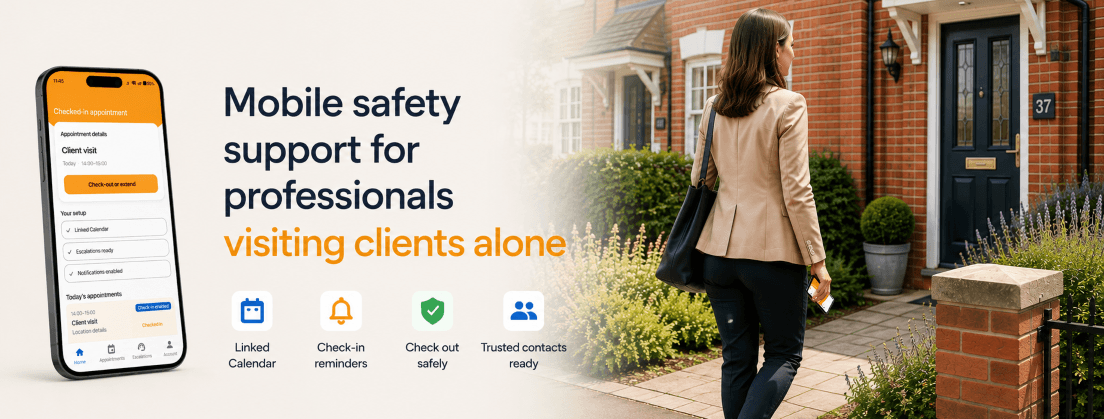
- Calendar-aware prompts
- Simple check-in and check-out
- Trusted escalation contacts
- No 24-hour tracking
How BeaconVisit works
BeaconVisit keeps lone worker safety simple: connect your calendar, receive timely prompts, check in around visits, and escalate to nominated contacts if something does not look right.
Connect your calendar
BeaconVisit uses your calendar to identify appointments that may need check-in support.
Get timely prompts
Receive calendar-aware reminders around relevant client visits, so safety actions fit naturally into your working day.
Check in and check out
Use simple check-in and check-out actions from your mobile device, with minimal data entry.
Escalate if needed
If you do not check out, BeaconVisit notifies your chosen trust contacts.
Built for professionals who meet clients away from the office.
BeaconVisit is designed for professionals who move between client appointments, property visits, consultations and meetings, especially where they may be working alone, away from the office, or outside normal team visibility.
- Mortgage brokers
- Estate agents
- Financial advisers
- Surveyors
- Consultants
- Parole officers
- Social workers
- Other field-based professionals
If you or your team visits clients, attends appointments, or works away from the office without direct supervision, BeaconVisit provides a light-touch safety layer without introducing staff surveillance.
Privacy-first safety support
BeaconVisit is designed to support safer client visits without becoming a corporate tracking system. It focuses on specific appointments, check-in status and escalation routes, not 24-hour monitoring or live location dashboards.
- No 24-hour location tracking.
- No live manager map.
- No customer records stored.
- Calendar-aware, not CRM-heavy.
- The individual remains in control.
- Escalation is tied to visits, not general movement.
Questions
Does BeaconVisit track my location all day?
No. BeaconVisit is not designed for 24-hour location tracking or live workforce monitoring. It records your location when you check in and does not continuously track you during the appointment. It supports client visits where appointments are Check-in Enabled.
Does my company see where I am?
BeaconVisit is designed to avoid corporate surveillance tracking. The focus is on calendar-aware check-in, check-out and escalation support around relevant client visits, not giving managers a live map of your day.
Do I need to enter every appointment manually?
No. BeaconVisit uses calendar integration to reduce manual data entry. It helps identify relevant appointments, supports daily visit awareness, and provides timely prompts around check-in and check-out.
Who gets contacted if I do not check out?
Escalations go to the trusted contacts configured for your account. These may include professional contacts, personal contacts, or a mix of both, using supported escalation routes such as SMS and email.
Which calendars are supported?
BeaconVisit is designed to work with connected calendars, including Google Calendar and Microsoft Outlook / Microsoft 365 calendars. Calendar access is used to support appointment awareness, check-in prompts and visit-based safety workflows.
Support safer client visits without constant tracking.
BeaconVisit gives professionals and teams a light-touch way to manage check-in, check-out and escalation around client appointments.